
WordPress vs HTML for SEO: Why HTML Has the Edge in the Age of AI
3rd Oct, 2026
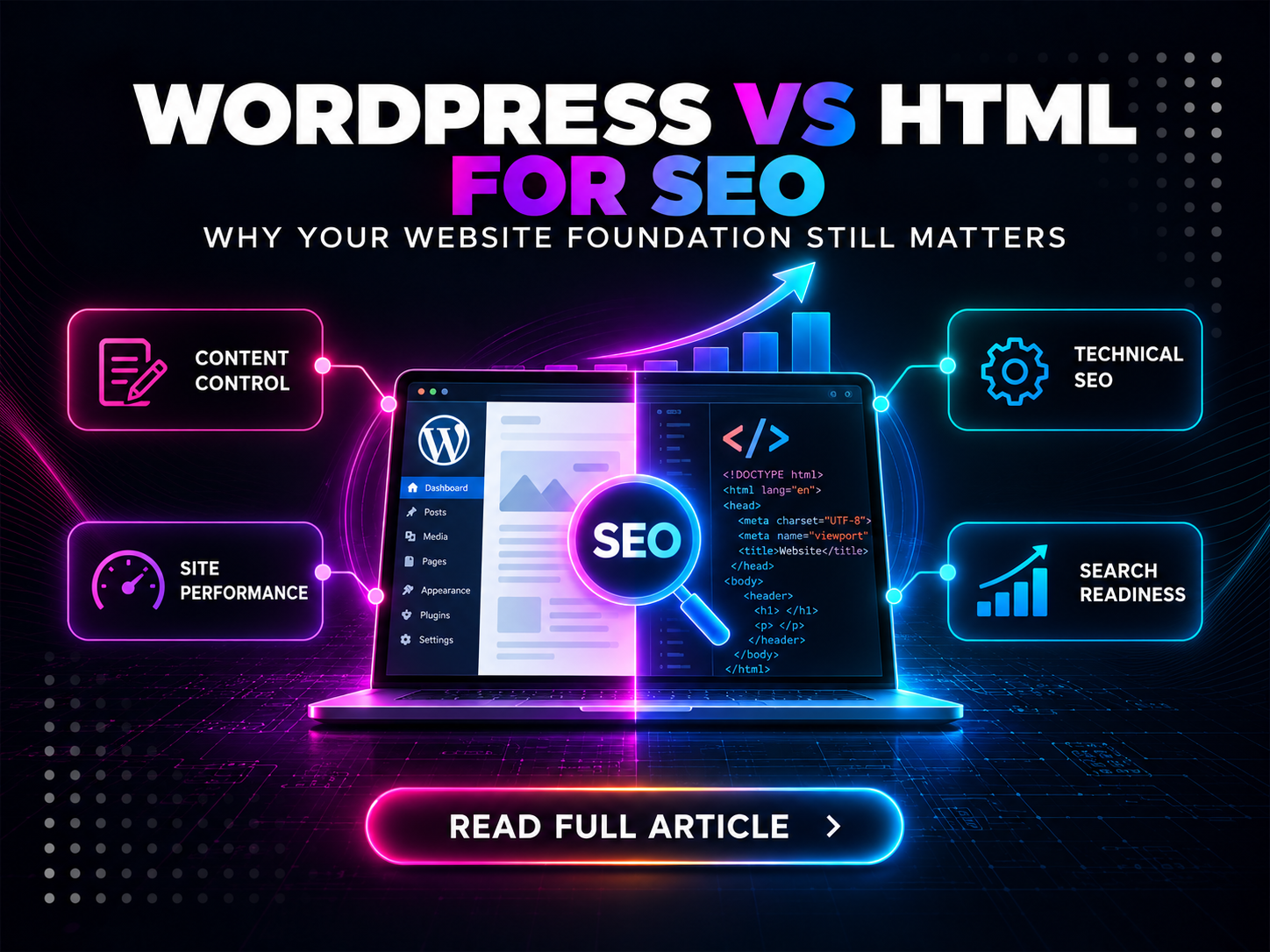
WordPress vs HTML.
It is one of those website debates that refuses to die.
And usually, the conversation goes something like this:
WordPress is easier to manage.
HTML is faster.
WordPress has plugins.
HTML requires a developer.
WordPress is better for content.
HTML is better for performance.
Everybody nods politely, somebody says, “It depends on your requirements,” and we all go home having learned almost nothing.
But the search landscape has changed.
We are no longer building websites exclusively for ten blue links on Google.
Websites now need to perform across traditional organic search, increasingly complex search experiences, AI Overviews, AI Mode, conversational search, AI-assisted discovery and whatever comes next.
And the technical foundation underneath your website matters.
A lot.
At Ideation Digital, we have tested WordPress vs HTML websites repeatedly from a technical SEO and performance perspective. Our experience has consistently been that well-built, lean HTML websites outperform comparable WordPress implementations technically.
That does not mean every HTML website is automatically brilliant.
It does not mean every WordPress website is terrible.
And it definitely does not mean Google has a secret ranking rule saying:
WordPress = bad. HTML = good.
It means that when you remove unnecessary application layers, plugins, database calls, themes, scripts and stylesheets, you often end up with a website that is simply lighter, faster and easier to control technically.
That mattered before AI.
It matters even more now.
First, WordPress and HTML Are Not Technically Opposites
Before somebody angrily opens LinkedIn to explain this to us, yes:
WordPress websites also output HTML.
HTML — HyperText Markup Language — is the markup language browsers ultimately use to render web pages.
WordPress, on the other hand, is a content management system.
So when people search WordPress vs HTML, HTML vs WordPress, or WordPress vs static website, what they are usually comparing is:
A dynamically generated website running through a CMS such as WordPress
versus
a lean static or custom-built website where the HTML is delivered more directly.
That is the comparison we are making here.
And that distinction matters because the real question is not whether HTML itself is somehow better than WordPress.
The question is:
How much technical infrastructure does your website actually need to accomplish its job?
Because every additional layer has a cost.
Sometimes that cost is completely justified.
Sometimes it is not.
WordPress Solves a Real Problem
Let us give WordPress its credit first.
There is a reason it became so popular.
It gives non-developers a relatively accessible interface for managing website content. You can log in, change copy, add an article, upload an image, install functionality and manage large parts of a website without editing source code directly.
For businesses publishing frequently or managing complex content requirements, that convenience can be incredibly valuable.
WordPress can also be optimised extremely well.
A good development team can build a fast WordPress website with careful theme selection, strong hosting, sensible plugin management, caching, a CDN, image optimisation, database optimisation and ongoing maintenance.
And therein lies part of our problem.
Read that sentence again.
To make the platform perform at its best, we have already introduced:
Hosting optimisation.
Caching.
Plugin management.
Database optimisation.
Image optimisation.
Theme optimisation.
Possibly a CDN.
Possibly object caching.
Possibly minification.
Possibly another performance plugin.
WordPress's own developer documentation recommends reducing unnecessary plugins, choosing lightweight themes, implementing caching, optimising databases and carefully managing static files such as CSS and JavaScript to improve performance.
None of those recommendations are unreasonable.
But they do raise a question:
If we have to add multiple optimisation layers to reduce the overhead created by the platform, was all of that infrastructure necessary for this particular website in the first place?
For some websites, absolutely.
For others?
Not so much.
WordPress vs HTML for SEO: Where HTML Starts With an Advantage
When comparing WordPress vs HTML for SEO, it is important not to confuse convenience with technical performance.
WordPress makes content administration easier.
HTML gives developers more direct control over what is actually being delivered to the browser.
That difference can affect several areas of technical SEO.
1. HTML Can Be Considerably Leaner
A custom HTML page can contain exactly what the page requires.
Nothing more.
A heading.
Navigation.
Copy.
Images.
Forms.
Structured data.
A few necessary scripts.
Done.
A WordPress page can potentially involve WordPress Core, a theme, a page builder, plugins, database queries, shared libraries, JavaScript bundles and CSS files containing styling for functionality the page may not even use.
That does not happen on every WordPress website.
But anyone who has spent time inside PageSpeed Insights has seen it:
Reduce unused JavaScript.
Reduce unused CSS.
Eliminate render-blocking resources.
Reduce JavaScript execution time.
And after enough optimisation work, you eventually reach a slightly ridiculous point where the objective is effectively:
Make WordPress behave more like a static website.
WordPress itself recommends caching pages as static files because doing so reduces server processing load.
That is worth thinking about.
2. Fewer Dependencies Mean Fewer Performance Surprises
Every dependency adds another variable.
Your website theme gets updated.
Something moves.
Your page builder changes its CSS.
Something breaks.
A plugin adds another JavaScript file.
Page speed drops.
A third-party widget changes.
Your Core Web Vitals shift.
An optimisation plugin minifies two files that apparently did not want to be introduced to one another.
Now the menu does not open on mobile.
Welcome to Thursday.
A lean HTML website can dramatically reduce those dependencies.
And fewer dependencies generally mean greater predictability.
You know what is loading.
You know why it is loading.
You know where the markup comes from.
And when something changes, the cause is considerably easier to identify.
That level of control is extremely valuable when your Search Engine Optimisation strategy depends on the technical health of the site underneath it.
Website Speed and SEO Are Connected — But Let’s Not Oversimplify It
This is where the website speed SEO conversation often gets silly in both directions.
One side says:
“Faster websites automatically rank higher.”
The other says:
“Page speed doesn't matter because content is more important.”
Both oversimplify the issue.
Google says its ranking systems use Core Web Vitals, but it also explicitly warns that excellent Core Web Vitals scores do not guarantee top rankings. Relevance and overall page quality remain critical.
That makes sense.
A page that loads instantaneously but contains useless information is still useless.
But given two relevant, useful pages competing within the same space, why would we voluntarily make one slower, heavier and harder to use?
Google's current Core Web Vitals framework looks at:
-
Largest Contentful Paint (LCP): loading performance
-
Interaction to Next Paint (INP): responsiveness
-
Cumulative Layout Shift (CLS): visual stability
Google recommends an LCP within 2.5 seconds, INP below 200 milliseconds and CLS below 0.1 for a good user experience.
So no, a 100/100 PageSpeed score is not a magical ticket to position one.
But performance matters.
And importantly, performance does not only matter for Google.
It matters for people.
Nobody has ever opened a website, watched three layout shifts, waited for a banner image to appear and thought:
“Fantastic. I hope there are seven more seconds of this.”
Core Web Vitals Are Easier When You Start With Less Baggage
This is one of the biggest reasons HTML has performed so well in our own testing.
When the starting point is lean, there is simply less optimisation work required to reach strong performance.
Instead of asking:
Which plugin is creating this request?
Which stylesheet contains this unused CSS?
Can we defer this script without breaking the page builder?
Why is this JavaScript loading site-wide when we only use the feature on one page?
Can this plugin be removed without affecting something else?
you start from:
What does this page actually need?
Then you build that.
There is something wonderfully uncomplicated about that.
And in technical SEO, uncomplicated is often very valuable.
The Age of AI Makes Technical Simplicity More Relevant, Not Less
Now we get to the part that changes the WordPress vs static website conversation.
AI has transformed search enormously.
But contrary to the endless “SEO is dead” commentary, Google has made its position remarkably clear.
Its current guidance says that generative AI features such as AI Overviews and AI Mode are rooted in Google's existing Search ranking and quality systems. Google continues to recommend foundational SEO practices, including crawlable content, clear technical structure and strong page experience, for visibility in generative AI search.
Sound familiar?
It should.
Because AI search did not remove technical SEO.
It increased the number of search experiences that depend on a strong technical foundation.
Google Still Needs to Access the Page
Google's requirements for AI search visibility begin in a remarkably unglamorous place:
Your content needs to be accessible.
Google says pages must be indexed and eligible to appear in Search before they can be shown as supporting links within AI Overviews or AI Mode.
No special AI file changes that.
No GEO hack changes that.
No magical “optimise for ChatGPT” button changes that.
Your technical foundation still matters.
This connects directly with what we discussed in our guide to understanding the modern digital marketing funnel: search engines and AI systems require sufficient context to understand what your business knows, offers and represents.
JavaScript Is Not Evil — But Complexity Has a Cost
Another point needs nuance.
Google can render JavaScript.
JavaScript is not automatically bad for SEO.
But Google's own 2026 generative AI search guidance states that SEO for websites relying on JavaScript frameworks is generally more complex and recommends following JavaScript SEO best practices carefully.
That is the point.
The argument is not:
“Google cannot understand JavaScript.”
The argument is:
Why introduce unnecessary rendering complexity when the page does not require it?
If interactive functionality needs JavaScript, use JavaScript.
If the website requires an application-like interface, build the appropriate solution.
But loading large amounts of JavaScript simply because a theme, CMS or page builder happens to include it is a different conversation.
Technology should solve requirements.
It should not create requirements for the sake of having something to optimise later.
AI Search Optimisation Still Starts With SEO
If you read our recent discussion around AEO, GEO and SEO, the same principle applies here.
AI search has changed how answers are delivered.
It has not removed the need for websites to be technically accessible, understandable and useful.
Google's latest guidance explicitly says that traditional SEO best practices remain foundational for its generative search experiences.
So when we think about SEO for AI search and AI search optimization, the question becomes:
What kind of website foundation makes it easiest to deliver technically clean, accessible, fast and structured information?
For many service-based, corporate, informational and lead-generation websites, our experience is that a lean HTML architecture gives us a considerable head start.
Not because AI has a preference for file extensions.
Because technical simplicity reduces the number of problems between the content and the system trying to access it.
WordPress Security Is the Other Conversation We Cannot Ignore
Performance is not the only area where additional dependencies matter.
There is also security.
And this is where the WordPress vs HTML discussion becomes considerably more uncomfortable.
WordPress Core itself is not the primary problem.
WordPress has a mature security process, receives regular updates and can absolutely be operated securely.
The larger concern is the ecosystem surrounding it.
A typical WordPress website may contain:
WordPress Core.
A theme.
A page builder.
An SEO plugin.
A form plugin.
A caching plugin.
A backup plugin.
A security plugin.
An image optimisation plugin.
An analytics plugin.
A cookie management plugin.
And potentially several others.
Every additional component becomes another piece of software that needs to remain maintained and secure.
WordPress Plugin Vulnerabilities Are Not a Hypothetical Problem
The numbers here deserve attention.
Wordfence's 2024 security report found that 96% of the WordPress vulnerabilities it recorded were associated with plugins.
Patchstack independently reported the same 96% plugin share for vulnerabilities uncovered in the WordPress ecosystem during 2024, recording 7,966 vulnerabilities overall.
The issue did not disappear the following year.
Patchstack's 2025 statistics show plugins accounting for 91% of recorded WordPress ecosystem vulnerabilities, while its mid-year report found plugins responsible for 89% of vulnerabilities identified during the first six months of the year.
That does not mean 91% of WordPress plugins are vulnerable.
It means that when vulnerabilities are being found within the WordPress ecosystem, plugins represent by far the largest category.
That distinction matters.
But so does the statistic.
Plugins Solve Problems. They Also Expand the Attack Surface.
This is where the convenience equation starts becoming complicated.
Need a form?
Plugin.
Need redirects?
Plugin.
Need caching?
Plugin.
Need additional security?
Plugin.
Need image compression?
Plugin.
Need a custom field?
Plugin.
Need the plugin manager to manage the plugins?
At some point, one has to ask:
How much infrastructure are we adding to solve problems created by the infrastructure we selected?
Again, there are situations where those trade-offs make perfect sense.
A website with complex publishing requirements may genuinely benefit from them.
But a relatively straightforward company website consisting of service pages, articles, forms and landing pages?
That deserves a more critical discussion.
AI Is Also Changing the Cybersecurity Equation
This is where the timing of this conversation becomes particularly important.
AI is not only changing search.
It is changing cybersecurity.
The UK's National Cyber Security Centre reported in 2025 that cyber threat actors were already using AI to improve activities including reconnaissance, vulnerability research and exploit development. It expects AI-enabled tools to make known-vulnerability exploitation faster and more scalable through 2027.
Perhaps the most important point in the report is the shrinking gap between vulnerability disclosure and exploitation.
The NCSC notes that this window has already reduced to days in some cases and assesses that AI will almost certainly shrink it further.
Now apply that to a website architecture dependent on multiple third-party components.
Every plugin needs to be maintained.
Every vulnerability needs to be identified.
Every critical patch needs to be implemented.
Every abandoned plugin needs to be noticed.
Every update needs to be tested.
The growing capability of AI does not suddenly make WordPress insecure.
But it does make dependency management and attack-surface reduction more important.
And that changes the risk calculation.
Static HTML Has a Smaller Application Attack Surface
A lean static HTML website may contain:
-
No WordPress admin login
-
No CMS application exposed publicly
-
No content database
-
No PHP-powered WordPress application layer
-
No collection of third-party WordPress plugins
-
No WordPress themes requiring continuous patching
That does not make the site impossible to hack.
Nothing connected to the internet should be described that way.
Hosting accounts can be compromised.
Credentials can be stolen.
Servers can be misconfigured.
Third-party scripts can contain vulnerabilities.
Forms and APIs can be implemented badly.
A static site still requires proper security.
But there is an important difference between:
“This architecture cannot be attacked.”
and
“This architecture exposes fewer application components to attack.”
The second statement is the relevant one.
When comparing WordPress security with a simple static website, reducing unnecessary application dependencies can meaningfully reduce the number of components that require continuous patching.
In the AI era, simplicity is not only a performance advantage.
It can be a security strategy.
The Irony of Installing Plugins to Protect the Plugins
There is a slightly absurd loop that WordPress websites can fall into.
Plugins introduce functionality.
Plugins can create performance overhead.
So we install a performance plugin.
Plugins introduce additional vulnerabilities.
So we install a security plugin.
Plugins and database changes need recovery options.
So we install a backup plugin.
Now the website has more plugins.
Which means more dependencies.
Which means more software to maintain.
Which creates more reasons to monitor the site.
At some point, the architecture begins resembling someone carrying six suitcases onto an aeroplane and then purchasing a seventh suitcase to organise the first six.
The question is not whether those tools work.
Many of them work very well.
The question is whether the website required that complexity to begin with.
But What About Managing Content?
This is usually where WordPress delivers its strongest counterargument.
And it is a legitimate one.
A CMS makes publishing accessible.
A marketing team can log in and change content without asking a developer.
That is useful.
But businesses should examine how frequently that capability is genuinely used.
We have seen plenty of websites where WordPress was selected because:
“The client needs to be able to make their own changes.”
Then the client does not touch the website for three years because they are terrified of breaking it.
Or every meaningful change still goes through an agency.
Or the marketing team can technically edit pages but refuses because the page builder resembles the control panel of a small aircraft.
If your organisation genuinely has multiple content editors publishing frequently, a CMS may be worthwhile.
If not, the convenience advantage becomes considerably weaker.
The correct architecture should follow the actual operating model of the business.
That is why our approach to website development and hosting starts with understanding the functionality a website genuinely requires rather than forcing every business into the same platform.
Does HTML Mean You Can Never Update Your Website?
No.
This misconception deserves to disappear.
Static does not mean frozen.
A custom HTML website can still be updated.
Pages can be added.
Articles can be published.
Metadata can be changed.
Schema can be implemented.
Navigation can evolve.
Landing pages can be created.
The difference is simply how those changes are managed.
For some businesses, the marketing convenience of a traditional CMS outweighs the technical trade-offs.
For others, having a development partner manage controlled updates to a lean site is preferable.
There are also modern architectures that combine static delivery with content management systems or automated deployment workflows, giving businesses varying degrees of both performance and editorial control.
The choice is not:
WordPress or never change your website again.
That is not how modern web development works.
You Can Still Have a CMS Without the Bloat
A custom HTML website does not mean you have to give up easy content management.
A lightweight CMS can be built into or connected to the site, allowing teams to update things like blog posts, service-page copy, images, FAQs and metadata without relying on a developer for every small change.
The difference is that you only add the functionality you actually need.
Instead of starting with a full CMS, plugin ecosystem and additional technical overhead, you can keep the website lean while still giving the marketing team a convenient way to manage content.
In other words:
You do not have to choose between performance and easy content editing.
Sometimes the better question is simply:
How much CMS do we actually need?
What Is the Best Website for SEO?
This is where we need to be careful.
There is no CMS that automatically guarantees rankings.
The best website for SEO is one that:
-
Can be crawled efficiently
-
Can be indexed correctly
-
Loads quickly
-
Works properly on mobile
-
Has logical architecture
-
Uses clean internal linking
-
Presents important information clearly
-
Supports structured data appropriately
-
Provides a strong user experience
-
Makes content publication sustainable
-
Can be maintained securely
-
Supports the actual objectives of the business
A badly coded HTML website can fail spectacularly at all of these.
A well-built WordPress website can perform extremely well.
But all else being equal, starting with a lean architecture means there is usually less technical baggage to overcome.
That is the advantage.
Our Experience Testing WordPress vs HTML
This is not merely a theoretical debate for us.
Across websites we have tested and worked with at Ideation Digital, lean custom HTML builds have repeatedly outperformed comparable WordPress websites from a technical SEO and performance perspective.
We have seen the difference in areas such as:
-
Page load performance
-
Unused CSS and JavaScript
-
Rendering overhead
-
Technical SEO implementation
-
Control over markup
-
Core Web Vitals
-
Plugin dependencies
-
Maintenance requirements
That experience has shaped how we think about website architecture.
It is also why we do not believe a website should be developed in isolation from SEO.
Your website is not simply a design project.
It is part of your search infrastructure.
Our SEO services specifically include technical SEO because search performance depends partly on what sits underneath the content users eventually see.
And before deciding whether a website needs optimisation, redevelopment or an entirely different architecture, our Digital Health Audit can help identify the technical and strategic issues limiting digital performance.
HTML vs WordPress: When WordPress Still Makes Sense
Despite the title of this article, there are absolutely situations where WordPress remains the practical choice.
For example, a business may need:
-
A large number of non-technical content editors
-
Frequent publishing throughout the day
-
Complex editorial permissions
-
Specific WordPress integrations
-
Existing infrastructure deeply tied to WordPress
-
Functionality that would be disproportionately expensive to recreate
-
A content team that genuinely requires CMS independence
In those cases, WordPress can be entirely appropriate.
But the decision should be made because the business needs the functionality.
Not because:
“Everyone uses WordPress.”
That is not a technical requirement.
It is habit.
When Static HTML Has the Edge
For many corporate, professional-service, B2B, lead-generation and informational websites, a static or custom HTML architecture deserves serious consideration.
Particularly when priorities include:
-
Exceptional loading performance
-
Technical SEO control
-
Reduced JavaScript dependency
-
Strong Core Web Vitals
-
Smaller application attack surface
-
Stability
-
Predictability
-
Simple hosting requirements
-
Long-term maintainability
If your website primarily needs to explain what you do, demonstrate expertise, rank for relevant searches and generate leads, it may not need a full CMS application underneath every page.
Sometimes the sophisticated solution is the simpler one.
WordPress vs Static Website: Complexity Should Have to Justify Itself
This is probably the principle we care about most.
Technology choices should not be made because a platform is popular.
Complexity should have to earn its place.
If your website requires a database, use one.
If it requires dynamic rendering, use it.
If it requires a CMS, use one.
If it requires JavaScript, use JavaScript.
If it requires plugins, install carefully selected plugins.
But every dependency should exist because it solves a genuine business or user requirement.
Not because it arrived bundled with the platform.
In an era where websites need to be fast, technically clean, secure, crawlable and understandable across increasingly sophisticated search experiences, carrying unnecessary technical weight makes less sense than ever.
Search Has Evolved. Website Development Needs to Evolve With It.
This is ultimately why our position on WordPress vs HTML has become stronger over time.
The website is no longer just an online brochure.
It is the technical foundation supporting:
Organic search.
AI search.
Content marketing.
Paid landing pages.
Lead generation.
Analytics.
Conversion journeys.
Brand authority.
Digital credibility.
And increasingly, machine understanding.
That is why website development should sit within a broader integrated digital marketing strategy rather than being treated as a once-off design exercise.
The prettiest website in the world is not particularly useful if technical problems stop people from finding it.
Why Lean Architecture Matters More in the AI Era
AI has not created an entirely new internet.
But it has accelerated several existing trends.
Search systems are becoming better at understanding information.
Users expect answers faster.
Search journeys are becoming more complex.
Cybersecurity threats are becoming more scalable.
Page experience continues to matter.
Technical SEO remains foundational.
And businesses need to publish genuinely useful information rather than generic content that says exactly what everybody else says.
Google's own 2026 AI search guidance emphasises strong technical structure, crawlability, good page experience and unique, non-commodity content.
That combination is important.
You need excellent content.
But excellent content still needs an excellent delivery mechanism.
HTML does not replace content strategy.
Performance does not replace authority.
Core Web Vitals do not replace relevance.
Technical SEO does not replace useful information.
But the technical foundation can either support all of those things...
or make them harder.
WordPress vs HTML for SEO: Our Position
So, which side do we land on?
For many business websites, particularly those focused on search visibility, performance and lead generation, we believe lean custom HTML has the edge.
Not because WordPress cannot rank.
It can.
Not because WordPress cannot be fast.
It can.
Not because WordPress cannot be secure.
It can.
The advantage is that HTML allows us to start with less.
Less unnecessary JavaScript.
Less unused CSS.
Fewer dependencies.
Fewer database operations.
Fewer plugins.
Fewer security variables.
Fewer moving parts.
And therefore, in many cases, fewer technical problems that need to be solved after launch.
The goal should not be to ask:
“How fast can we make WordPress?”
The better question is:
“What is the simplest architecture capable of delivering everything this website genuinely needs?”
Sometimes the answer will still be WordPress.
But increasingly, particularly when technical SEO is central to the strategy, our answer is HTML.
Your Website Should Help Your SEO Strategy — Not Become an Obstacle to It
There is no point investing heavily in keyword research, content production, authority building and SEO for AI search if the website underneath that strategy is unnecessarily difficult to optimise.
Your technical foundation matters.
Your content matters.
Your security matters.
Your performance matters.
Your users matter.
And as search continues evolving, the relationship between all of them is becoming more important.
At Ideation Digital, we do not believe website development and SEO should be treated as two unrelated projects.
Our website development services focus on building websites with search performance in mind from the start, while our Search Engine Optimisation services address the technical, on-page and content factors required to improve organic visibility.
If you are not sure whether your current website is helping or limiting your digital performance, the first step is not necessarily rebuilding it.
It is understanding what is actually wrong.
A Digital Health Audit can help identify website, SEO and broader digital-performance gaps before you decide what needs to change.
And if your WordPress website currently needs seven plugins to make it fast, three plugins to keep it secure and another plugin to stop the other plugins fighting with each other... it may be time for a different conversation.
Contact Ideation Digital to discuss whether your website architecture is actually supporting your SEO and digital strategy — or whether it is carrying technical baggage you simply do not need.